
Instagram isn’t just for scrolling—it’s one of the best travel planning tools you can use. With millions of users sharing stunning locations daily, it’s an incredible resource for discovering hidden gems, must-visit attractions, and off-the-beaten-path experiences.
The best part? You can save travel inspiration by location and access it later with just a few taps. This simple Instagram hack will help you create a personalized travel itinerary without the stress.
Here’s how to turn Instagram into your ultimate trip planner.
Step 1: Save Locations to Folders on Instagram
When you come across a stunning travel photo or a must-visit restaurant, don’t just like it—save it! Instagram’s Saved feature (the bookmark icon on the bottom right of a post) allows you to organize saved posts into custom folders, making it easy to keep track of all the places you want to visit.
How to do it:
- Tap the bookmark icon below a post.
- Select “Save to collection.”
- Create a new folder or add it to an existing one (such as “Paris Cafés” or “Hidden Beaches”).
- Repeat this process whenever you come across a place you’d love to visit.
Pro Tip: Organize your folders by destination (e.g., “Italy Trip,” “NYC Restaurants,” “Bali Beach Clubs”) so you can easily access them when you’re planning a trip.
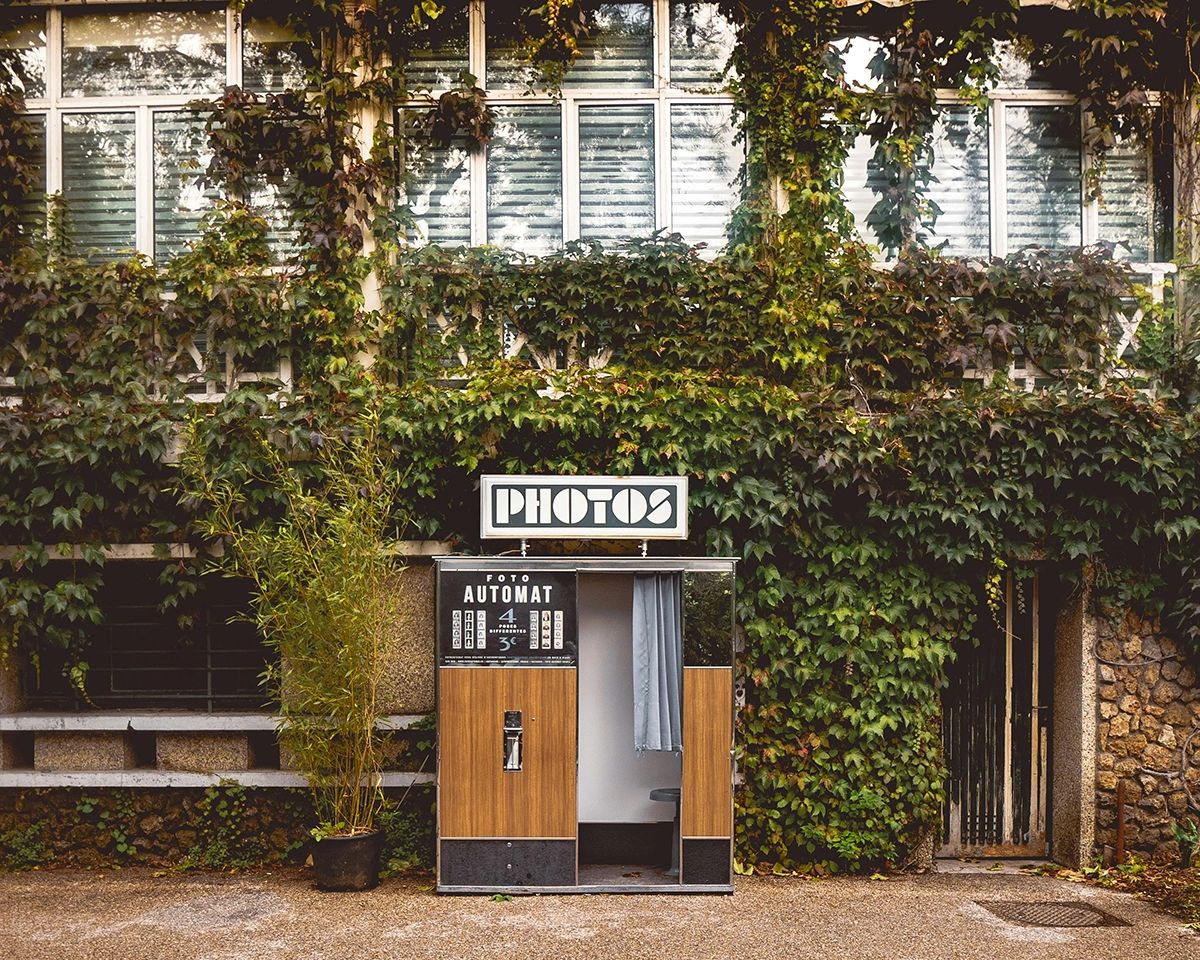
Like this Instagrammable spot in Paris, a vintage photo booth and a dreamy stop for an effortlessly cool and classic aesthetic. Don’t forget to bring a few euros for an authentic, film-strip souvenir!
📍 Location: Parc des Buttes-Chaumont, Paris, France
Step 2: Use Instagram’s Location Tag Feature
Many travel influencers and content creators tag their exact locations when they post photos. This is a goldmine for trip planning because you can click on the location tag to see more photos and videos from that spot, helping you decide if it’s worth adding to your itinerary.
How to do it:
- Click the location tag at the top of a post.
- Scroll through the feed of user-generated content from that location.
- Save posts that inspire you to your Instagram folders for future reference.
Step 3: Save Locations to Google Maps
Once you’ve gathered inspiration from Instagram, it’s time to transfer those saved locations to Google Maps. This step makes navigating a new destination effortless, giving you quick access to must-visit spots without searching for them again.
How to do it:
- Click the linked location in an Instagram post.
- Select “Open in Maps” (this works with Google Maps and Apple Maps).
- Tap “Save” in Google Maps and add it to a custom list (like “Paris Trip” or “Must-Try Coffee Shops”).
- When you’re on your trip, simply open Google Maps to see all your saved locations at a glance!
Capture Your Travels with the Best Compact Travel Camera
While Instagram is a great tool for finding travel inspiration, you’ll want to capture your own experiences in high quality—beyond just smartphone photos. If you’re looking for a lightweight, powerful travel camera, the FUJIFILM X100VI Digital Camera is an excellent choice.
Why the FUJIFILM X100VI is Perfect for Travel
- Compact & Lightweight – Easy to carry for all-day adventures.
- High-Quality Images – 40.2MP sensor with exceptional detail.
- Classic Film Simulation Modes – Achieve a vintage aesthetic straight out of the camera.
- Fast Autofocus & Sharp Lens – Perfect for capturing fleeting travel moments.
- Built-in ND Filter – Great for shooting in bright daylight.
Whether you’re exploring bustling city streets, quiet coastal towns, or historic landmarks, the FUJIFILM X100VI will ensure you return home with stunning, professional-quality photos.

Disclaimer: The content on this blog is for informational purposes only. I make no guarantees about the accuracy, completeness, or reliability of any information provided. Opinions are my own. Some links may be affiliate links, meaning I may earn a commission at no extra cost to you. Always verify details before making travel or financial decisions.